

⋮⋮).
For live monitoring and one-click changes (save state, Joe brain, theme, language, scheduled tasks, shortcuts), use the bottom Status Bar (Footer) — it does not replace Settings, but it covers the most common switches without opening this panel.
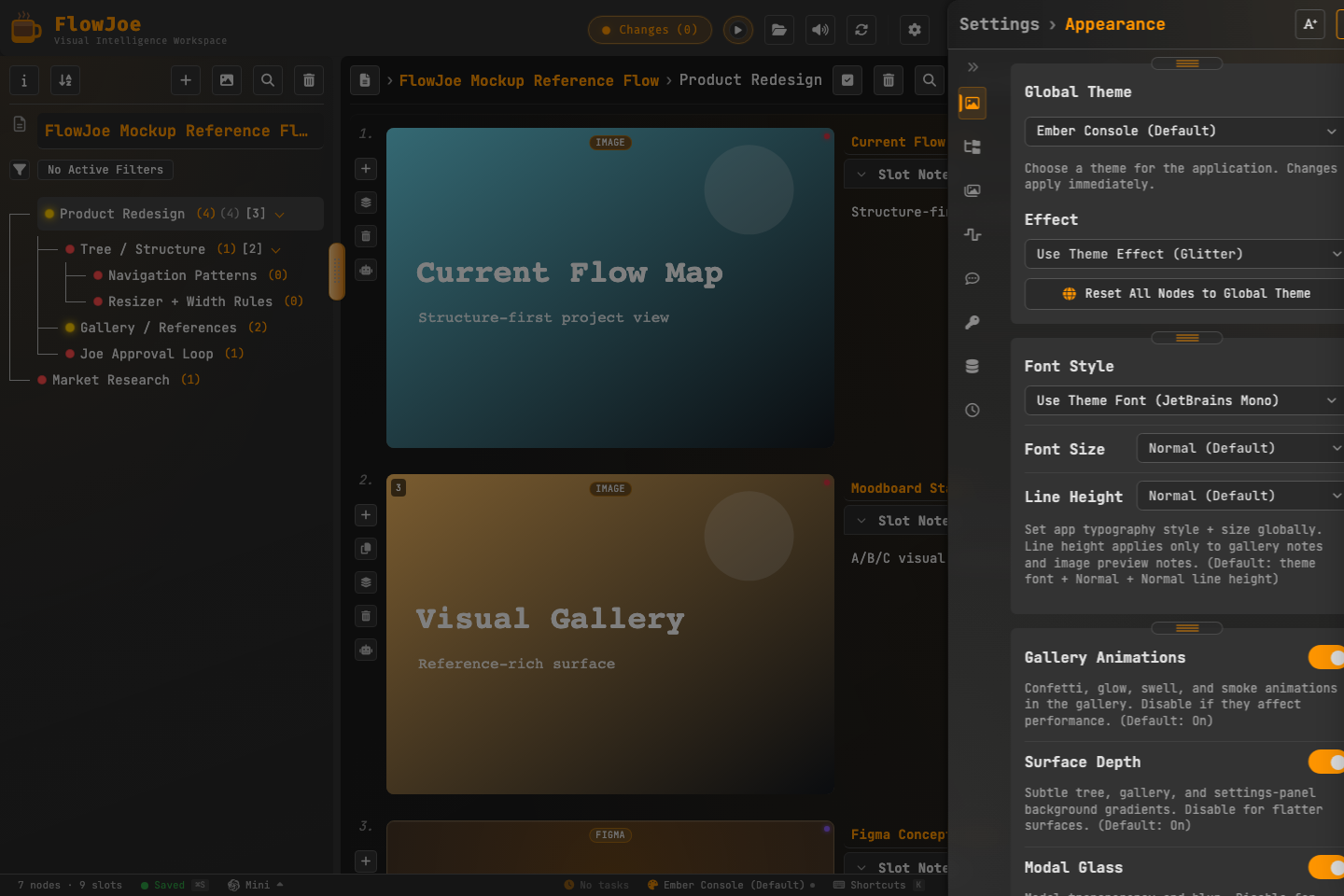 Tab order matches the app (top to bottom):
- Appearance
- Tree
- Gallery
- Audio
- Browser (desktop / Electron only)
- Joe AI
- APIs
- Data
- Tasks
Appearance
Language (localization)
- Language: First card on Appearance (also available from the Language control on the status bar).
- FlowJoe ships full-app localization for 20 languages: Arabic, Bengali, German, English, Spanish, French, Hindi, Indonesian, Italian, Japanese, Korean, Polish, Portuguese, Russian, Thai, Turkish, Urdu, Vietnamese, Chinese (Simplified), and Chinese (Traditional).
- Changing language rewrites UI chrome (Settings, toolbars, menus, modals, tooltips, toasts, and related surfaces). A fresh install starts in English until you pick another language.
- This is interface language only — it does not translate your flow content, notes, or files.
Layout
- Density: Comfy / Compact (default) / Dense — spacing and control sizes app-wide.
- Surface Style: Outlined or Filled (default) — chrome button borders vs fills.
Theme & typography
- Theme: Full global theme catalog in Appearance (Dark / Light / Sepia / Cozy and the rest of the theme list). Reset all nodes to the global theme when needed. Per-node overrides are available from the node Theme Manager and the status-bar Theme control.
- Font style, justification, line height for notes and readable surfaces.
- Visual effects: optional surface / glass / visual-effect toggles, nav tooltips, toast notifications and toast theme-match.
- Status Bar: show or hide the bottom status bar (default on). See Status Bar (Footer).
Tree
- Auto-resize tree width, resizer width.
- Branch toggle style (flat / themed).
- Status indicators, slot counts, child counts on tree rows.
- Open summary on new node preference.
Gallery
- Scrubber show/hide, position (top/bottom), style, FX and shadow.
- Embed performance / virtualization for heavy embeds.
- Slot action controls (animated vs expanded).
- Slot scrubber, title position, stack-count badges, media labels, metadata, scheduler chip, tags, and notes chrome toggles.
- Custom placeholder image for empty/missing thumbs (stored in IndexedDB).
- Image compression on import (Always / Never / Ask) where configured.
Audio
- UI sounds: enable, volume, hover sounds, test button.
- Header audio player: show/hide, play mode (sequential / shuffle / repeat), target node, tag filters for playlists.
- Continue playback when advancing stacks (where offered).
Browser (desktop)
- Startup behavior when the browser opens (restore tabs, home, blank, gallery, etc.).
- Homepage URL, default search engine.
- Tab, bookmarks, history, downloads, and clear-browsing-data controls.
Joe AI
- Agent Bridge (MCP): allow external agents, config folder, auto-apply, copy config, rotate token, helper toggles.
- Auto-compact chat, attachment-memory preferences, Context Director on/off.
- Link previews for cards Joe adds: Load automatically (default) or Wait for a click. Governs link cards added by Joe, a scheduled task, or a connected agent — your own link cards always load their preview immediately. See Proposals & Approval.
- Related AI behavior controls that live on this tab (voice and chat helpers may also appear here depending on build).
- Per-send map size is controlled on the Joe chat panel, not here: Limit map to my location (on by default) and Omit entire flow map. See Token usage with Joe.
APIs
- Open API settings for OpenAI (and related) keys. Keys use OS secure storage on desktop when available.
Data
- Workspace folder connect / create copy / switch back to local storage.
- Delete-undo retention.
- Anti-nag prompts for save and import (always ask / dirty only / never, etc.).
- Restore Points: automatic saving on/off, how often to save one, how many timed / before-a-restore / manually-saved points to keep, a running total of how many points that keeps (not a disk-space estimate), and a Delete all restore points button.
- Disk usage, cleanup, reset, and backup-related tools on this tab.
Tasks
- Enable scheduled background runs.
- List of scheduled tasks (pause, resume, run now, delete).
- Review inbox for propose-only automation results.
- Recent run history.
Tips
- Cards can be dragged to reorder within a tab; that does not change the left-hand tab list.
- Some browser settings only appear in the desktop (Electron) app.